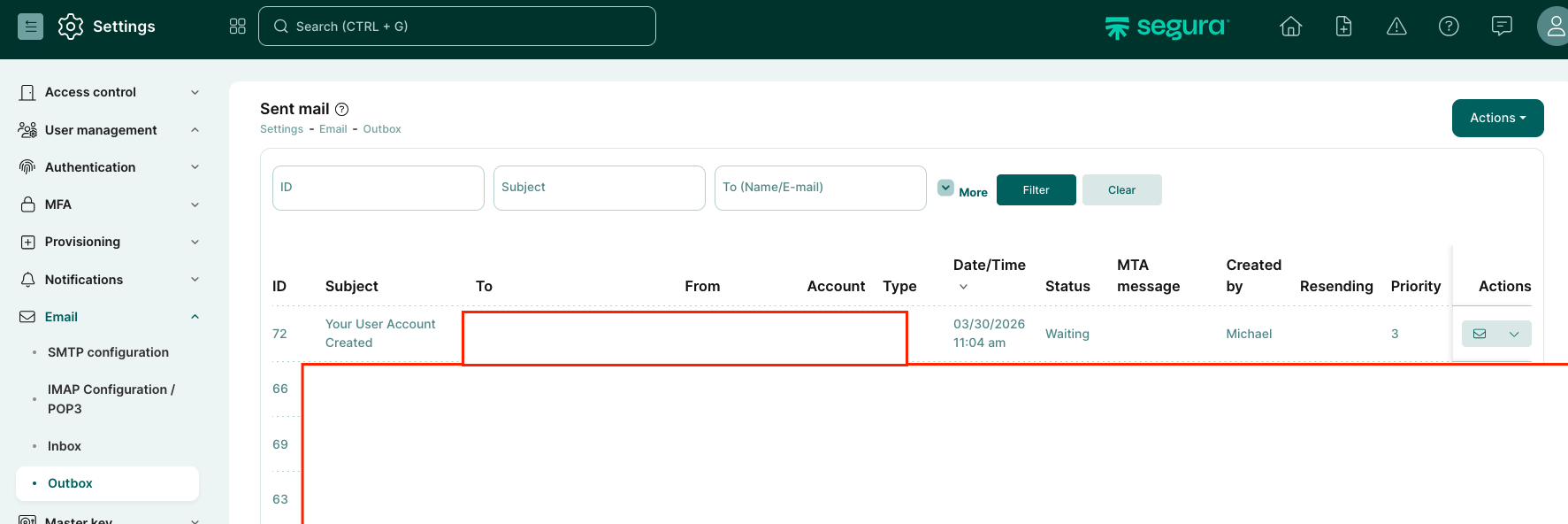
This issue may have different root causes. One possible cause is a NATS-related issue. Sometimes the first email gets stuck, and if you resend it, the new one is delivered immediately.
However, the best approach would be to open a support ticket so the team can check the environment and provide proper troubleshooting.
Yes, sometimes it works if the email is resent manually. However, as soon as the queue clears (after a reboot, for example), the original email will also be delivered, which can cause confusion for end users.
I find the whole NATS/queuing functionality really interesting, but I have not found much documentation yet. Sometimes there are situations in which I cannot comprehend why some tasks take a long time. For example, if newly created or imported credentials are not visible for a long time (from a few minutes to a few hours).
Hopefully, I will update this post in the future with more information I’ll find
Just to follow up: I did analyse the case together with support a few weeks ago. The cause usually seemed to be a single stuck task in the async-cron queue (async-cron queue --status → ). After restarting the affected service, the NATS queue seemed to propagate again and all async task were processed. Depending on how long the queue was stuck, this could take multiple hours.
According to Support, this bug has in the meantime been fixed in a release. For the time being, I will refrain from posting more detailed commands, this because I’m not fully sure about possible unwanted side effects.