Rotate Password Using WinRM and Restart a Dependent Service
Situation
After a password rotation, a service that uses those credentials might fail to start or stop working. To avoid this issue, the password rotation template can be modified to update the service configuration with the new password.
Root Cause
Authentication Mismatch: Windows services store account credentials locally in the Service Control Manager (SCM). When you try to start the service after a password change, Windows attempts to authenticate using the OLD password that is still stored in the service configuration, resulting in a logon failure.
Solution
Use sc.exe through PowerShell to update the service credentials. sc.exe is a native Windows tool that modifies service entries in both the registry and the Service Control Manager database.
Implementation Steps:
- Create a template in your PAM solution (e.g., Senhasegura)
- Set WinRM as the executor
- Configure the template with the following commands:
Template Configuration:
!unsecure
!change-password
powershell sc.exe config "SERVICE_NAME" obj= [#DOMAIN#]\\[#USERNAME#] password=[#NEW_PASSWORD#]
Important Notes:
- Replace
SERVICE_NAMEwith your actual service name (e.g., “MSSQLSERVER” for SQL Server) - The space after
obj=is required - this is the correct syntax for sc.exe - The template variables
[#DOMAIN#],[#USERNAME#], and[#NEW_PASSWORD#]will be automatically replaced by your PAM solution - The
!unsecurecommand handles privilege elevation - The
!change-passwordcommand updates the account password in Active Directory or locally
Example template for SQL Server Service:
!unsecure
!change-password
powershell sc.exe config "MSSQLSERVER" obj= [#DOMAIN#]\\[#USERNAME#] password=[#NEW_PASSWORD#]
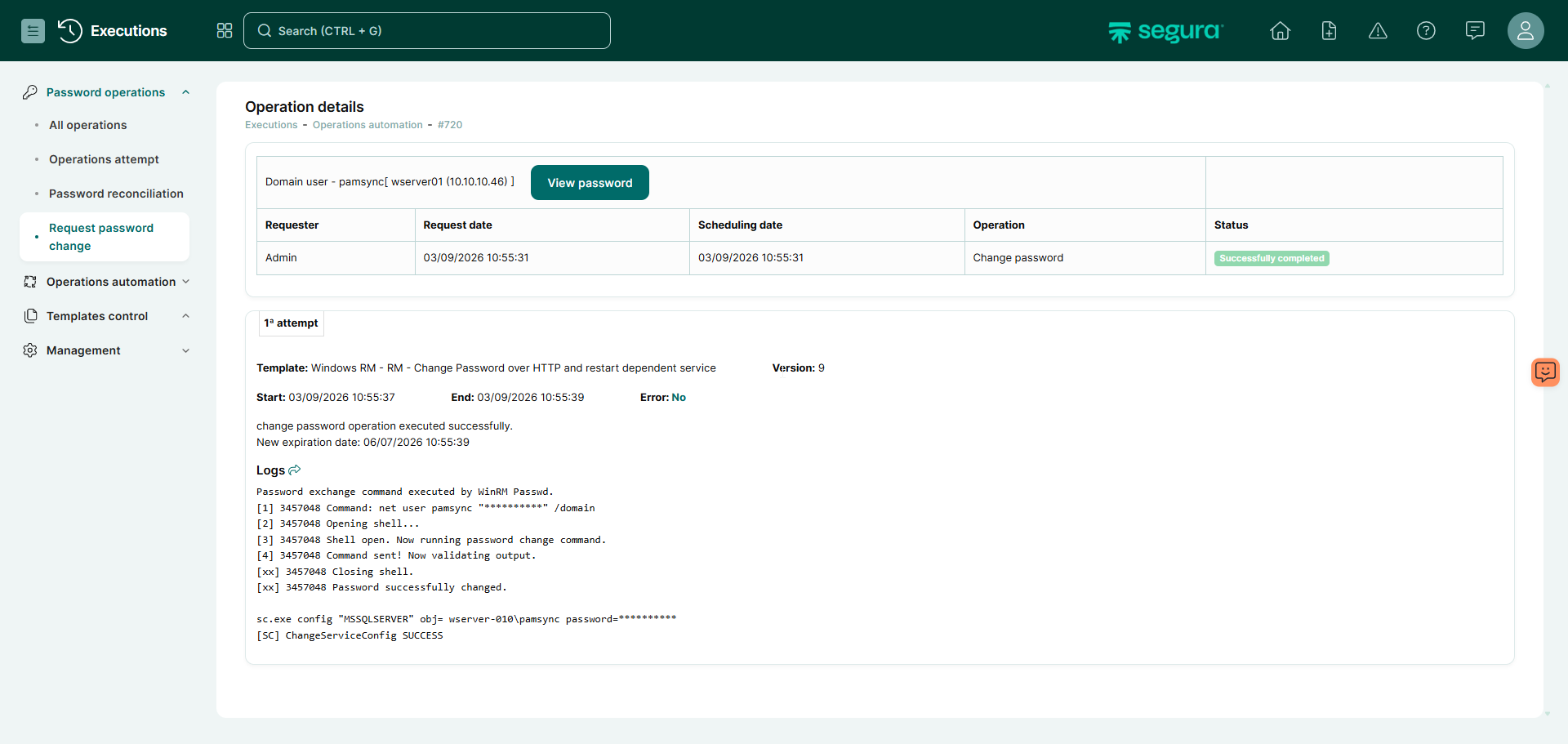
Benefits
- Prevents service outages after password rotation
- Ensures synchronization between Active Directory credentials and service configuration
- Provides automated and reliable password management for service accounts
- Works with any Windows service that runs under a domain or local account
Compatibility
This solution works with:
- All Windows Server with winrm, sc.exe enabled;
- Any Windows service that uses account credentials
- Segura PAM solution that supports WinRM execution and template variables