If you encounter the “Error on Server Response” error during registration using the new senhasegura.go, follow the steps below to resolve the issue:\
- Check Default Certificates:
- Ensure that the default certificates are located in the folder:
/etc/ssl/localcerts/.
- Ensure that the default certificates are located in the folder:
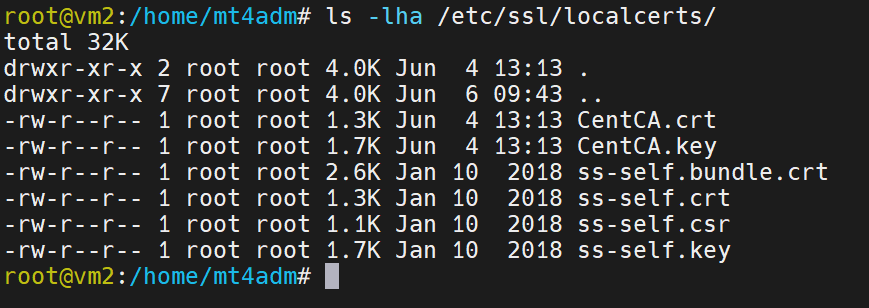
The certificates must have permissions set as shown in the screenshot.
- Download Necessary Certificates:
- If the certificates are not in the mentioned folder, you can find them at the following link: senhasegura Standard Certificates (ss-self) Necessary for Orbini-Server.
ls -lha /etc/ssl/localcerts/ (IMAGE)
Validating and correctly locating the certificates are essential steps to ensure the system functions correctly and the error is resolved.
- If the certificates are not in the mentioned folder, you can find them at the following link: senhasegura Standard Certificates (ss-self) Necessary for Orbini-Server.