1. To define whether its use will be allowed, access the menu Settings ➔ System parameters ➔ System parameters ➔ Remote session:
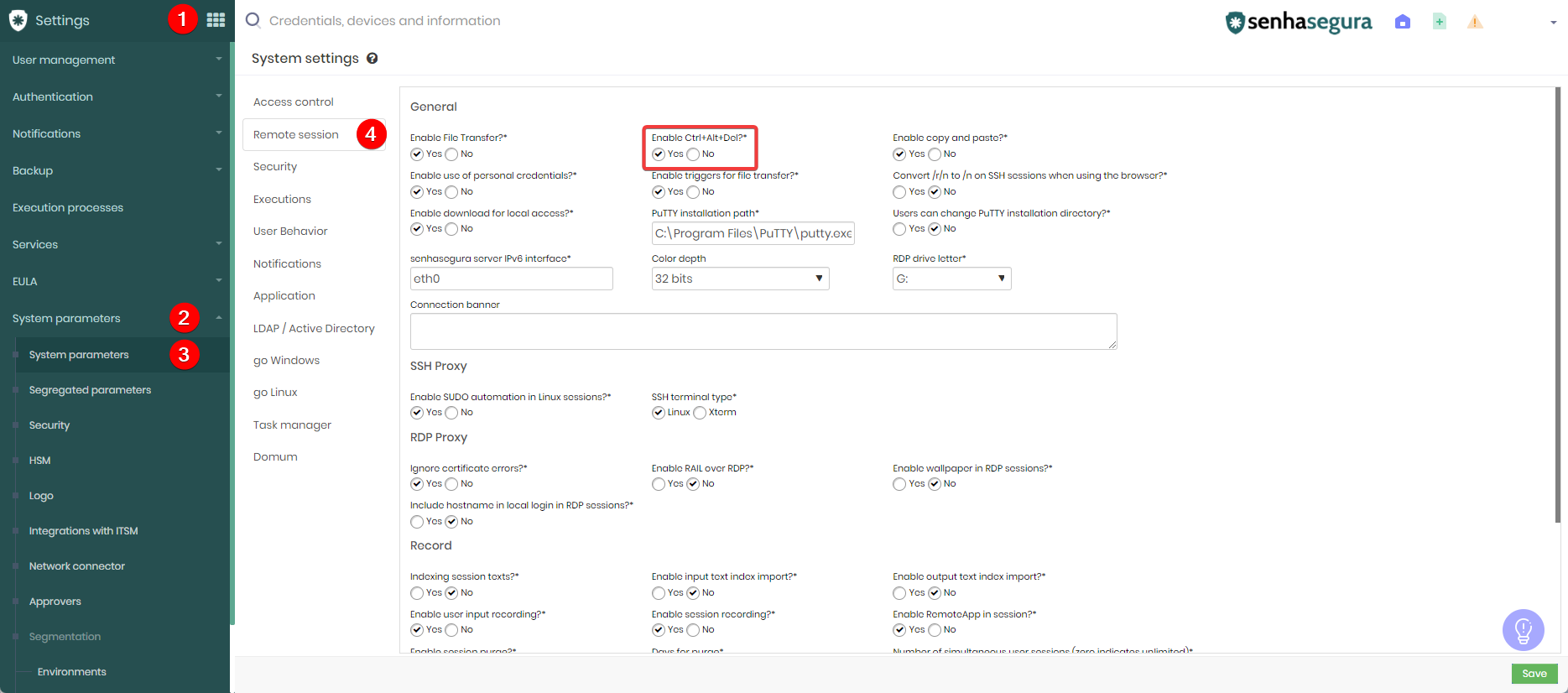
when Enable Ctrl+Alt+Del its takes user to login screen of own login screen rather than the remote computer. How to correct this?
Hello Mohammed Aslam Imroze,
To resolve the issue mentioned, try one of the following options:
- Press Shift + Ctrl + Alt + Del.
- Use the combination Ctrl + Shift + Alt + Del.
- Use the virtual keyboard available in the remote session.
Best Regards!